
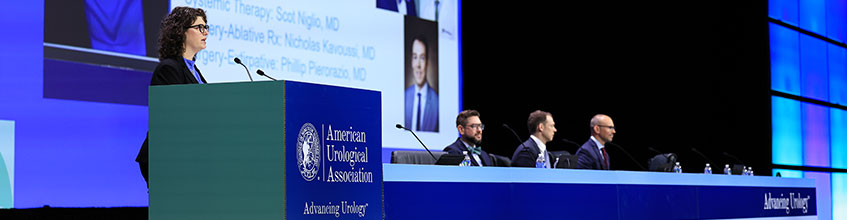
Speaking at the 2026 AUA Annual Meeting in Washington, DC? To help aid in preparing for your presentation, a helpful checklist is available to make sure you have everything you need. Please see below for information on booking your housing, registering, and producing your presentation.
Book Your Preferred Speaker HotelBook your preferred speaker hotel with onPeak, the official AUA2026 housing partner, for exclusive access to the AUA hotel block, savings and flexibility. |
|
Register for AUA2026Individual registrations are required for all AUA2026 speakers and presenters. |
|
Start Building Your AgendaExplore all of the science and education offered at AUA2026 and start building your agenda! |
Registration
All speakers and moderators are required to register for the Annual Meeting and make their own hotel and travel arrangements. Speakers and moderators can pick up their registration materials on-site in the Main Registration area at the Walter E. Washington Convention Center.
Conflicts of Interest for CME Programs
- Speakers, debaters, panelists, moderators, or any other person participating in a CME program must complete their AUA COI Disclosure Form and ensure all financial relationships from the last 24 months are reported. Disclosure forms must be completed within 2 weeks of accepting the invitation to present.
- Presenters identified as employees or owners of an ACCME-defined ineligible company (aka commercial interest) pose a conflict of interest and will not be permitted to present.
- Presentations are subject to advance review by the AUA Conflict of Interest Peer Review Work Group. Presentations selected for peer review are required to be submitted 6 weeks (12 weeks for Instructional Course Faculty) prior to the meeting start date to allow adequate time to complete all reviews and mitigate conflicts.
Speaker Ready Room
Room 102, Walter E. Washington Convention Center
|
Hours of Operation |
|
|---|---|
|
Thursday, May 14 |
6 a.m. – 6 p.m. |
|
Friday, May 15 |
6 a.m. – 6 p.m. |
|
Saturday, May 16 |
6 a.m. – 6 p.m. |
|
Sunday, May 17 |
6 a.m. – 6 p.m. |
|
Monday, May 18 |
6 a.m. – Noon |
Speaker Check-in and Testing Presentations
- All speakers are REQUIRED to check in at the Speaker Ready Room 24 hours prior to their scheduled presentation to review/upload their presentations. The audio-visual technicians need to test presentations to ensure they will display appropriately in the actual session room. If your presentation takes place on Friday, please check in at your earliest convenience.
- Presentation files must be uploaded in advance. To minimize technical disruptions, providing presentation files to the A/V technician in the meeting room is prohibited.
- The computers in the Speaker Ready Room will be configured with hardware and software exactly like the computers in the session rooms.
- Always review your presentation in the Speaker Ready Room, especially if it contains video files, or if it was created on a Mac computer:
- Mac presentations must be converted to PC format in the Speaker Ready Room because all presentations in the session rooms are administered on PCs.
- Any videos being presented must have the link embedded in your slides. Webpage links without being embedded will notwork.
- Once you are comfortable that your presentation is complete, inform the Speaker Ready Room technician that your presentation is ready to be uploaded to the central server.
- Confirm the date, time, and room for your session.
- Be sure to check out of the Speaker Ready Room before leaving.
- To access your file(s) on the server for subsequent viewing/editing, you must provide the appropriate ID (i.e., registration badge) to access/checkout the file. When completed, inform the technician of any changes so the file can be uploaded to the server and the old version removed.
- While the AUA has provisions in place for successful presentation delivery for files submitted in advance, it is STRONGLY encouraged that all speakers bring a copy of their presentation with them to the meeting location. The AUA is not responsible for missing presentation files.